

Imagine doubling your YouTube views using content you already have. By repurposing long-form YouTube videos into compelling Shorts with the help of AI, you can tap directly into the explosive short-form video boom—without burning out creating endless new material.
Why YouTube Video Repurposing Is Non-Negotiable in 2026
Shorts are now the main driver of YouTube’s view counts: in late 2025 and into 2026, over 70% of YouTube users watched Shorts daily (per YouTube’s own reports). Clips under one minute don’t just build awareness—they channel new traffic to your full-length videos, as every AI-generated Short links directly back to its parent, enabling seamless discovery.
Yet turning a 25-minute tutorial or podcast into punchy Shorts isn’t just about trimming video; it’s about picking shareable moments, reframing for vertical, and adding touches like captions that boost engagement. This is where AI-driven video repurposing tools make the critical difference.
Core Approaches: Built-In vs Third-Party AI Repurposing Tools
There are two primary roads for YouTube video repurposing:
- Built-in YouTube tools: Quick, native solutions that prioritize linking and attribution but offer limited editing power.
- Third-party AI platforms: Feature-rich, automating much of the heavy lifting—though you’ll still want to provide editorial oversight for quality Shorts.
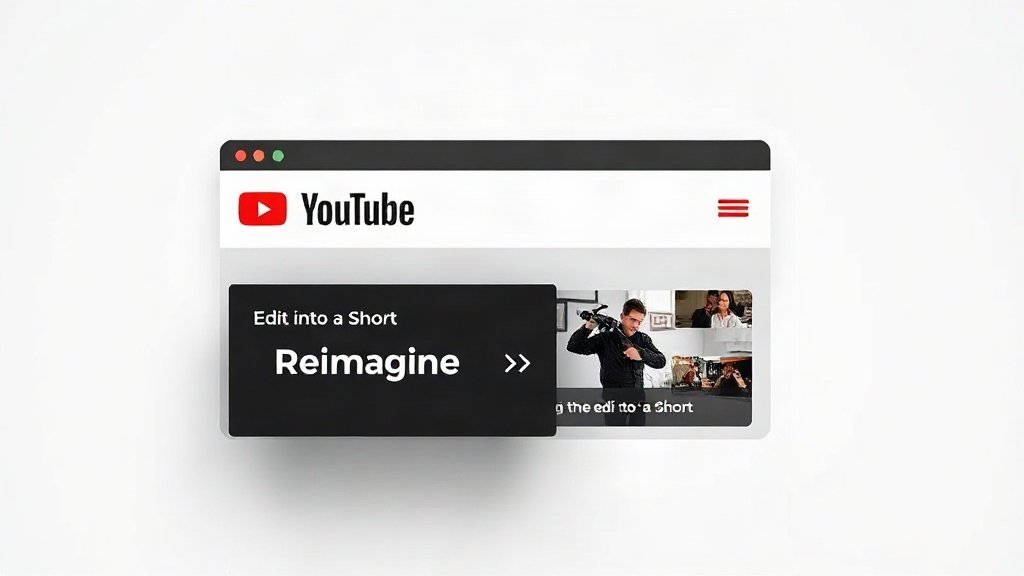
YouTube’s Native Solutions: ‘Edit into a Short’ & ‘Reimagine’
YouTube’s own Remix menu now features two potent tools:
- ‘Edit into a Short’: Lets you extract up to 60 seconds from any eligible, public long-form video. The process is seamless: pick a segment, add text or simple edits, and publish. Every Short created retains a clickable link to the original, ensuring viewers can jump right to the full video.
- ‘Reimagine’: Introduced in March 2026, this tool lets you select a frame from a Short and, using Gemini-powered AI prompts, generate an entirely new 8-second Short. You can further tweak the result by inserting your own images or picking from suggested prompts—handy for animated or visually distinctive remixes.
The catch: Built-in tools are direct, but lack the advanced highlights detection, smart cropping, or batch processing available elsewhere. Used strategically, however (especially for timely or contextual edits), they provide quick wins with native reach.
Third-Party AI Tools: Smarter Automation Meets Editorial Judgment
If you want more than a single simple clip, AI-powered platforms have advanced by leaps in 2026. Here’s how the leading solutions stack up:
- OpusClip: Upload your video and let OpusClip’s AI identify punchy, shareable highlights. It automatically reframes widescreen video to vertical, adds engaging captions, and even rates each Short’s “virality” to prioritize clips with the best potential. Editors typically review the suggested clips for context and accuracy before posting.
- YTShorts.ai: Specializes in transcript-driven repurposing. It autotranscribes your long video, then surfaces and ranks moments likely to resonate as Shorts. You get a ranked feed of potential vertical clips—ideal for creators who want speed but retain final approval. Free plans make this accessible for experimentation.
- FlexClip (‘AI Long to Shorts’): Flexible for batch workflows, FlexClip’s AI parses your video for highlights, applies smart reframing, and can subtitle multiple clips at once. Handy for channels generating lots of reusable content like webinars or product demos.
- Higgsfield: Goes beyond simple clipping—its toolkit offers themed avatars, ad templates, and cinematic filters for Shorts that stand out visually, handy if your brand’s style matters as much as your message.
- CapCut & InVideo AI: Popular for their editing stylings: auto-subtitles, branded overlays, trend-driven templates, and all the tools for that ‘native Shorts’ look with minimum manual effort.
Common thread: While these tools radically accelerate repurposing, no AI is 100% foolproof. Human editorial review is still essential for trimming, sense-checking, and optimizing context so Shorts feel intentional—not random.

Step-by-Step Workflow: Repurposing Long-Form YouTube Videos Into Shorts With AI
Ready to get hands-on? Here’s a proven workflow combining the strengths of automation and editorial oversight:
- Pick your source video(s): Prioritize videos with insightful, funny, or visually compelling moments—Q&As, tutorials, reactions, product demos.
- Choose your AI repurposing platform: For maximum automation, try OpusClip or YTShorts.ai. For more creative control or batch processing, experiment with FlexClip or CapCut.
- Upload and let the AI work: The tool will transcribe, detect highlights, and present suggested Shorts. Some (like OpusClip) will rate each for potential reach.
- Editorial selection: Watch each suggested Short. Tweak start/end points, cut unnecessary context, and make sure each clip is self-contained and hooks fast.
- Vertical reframing and cropping: Let the AI crop, but review for off-center framing—manual tweak if the subject’s face or main action isn’t the visual focus.
- Add (or polish) captions: Even with AI autogeneration, proofread captions for accuracy and pacing—they’re key to engagement on mute.
- Finalize and export: Download your Shorts or auto-publish directly, depending on the platform’s integrations.
Pro Tip: Attribution and Discoverability
Ensure your Short links back to your original long-form video for maximum exposure. With YouTube-native tools, this is automatic. Third-party AI tools may require you to manually add a call-to-action or link in your Short description—don’t skip this step!

Repurposing at Scale: Batch Production & Faceless/Automated Channels
The emergence of AI repurposing tools is especially transformative for small teams and faceless channels. If you have a backlog of evergreen content—think podcast archives, product walkthroughs, online courses—a single upload can yield a week’s worth of Shorts.
This batch approach is what powers the new “clip economy”, where short-form video is the atomic unit of viral discovery and channel growth. According to YouTube analytics, some channels see a 20–80% increase in subscriber growth from well-optimized Shorts driving viewers to their full videos.
If your workflow includes AI-based video creation platforms like Vidquence, you can go a step further: generate new long-form videos (faceless or presenter-led) and integrate with repurposing tools for end-to-end automation, voiceovers, and auto-captioning—all in one pipeline.
Limitations and Best Practices for Repurposing With AI
AI is fast—but not all picked clips will “make sense” out of context, and no system is fully replaceable for human judgment. Keep these tips in mind:
- Review every AI-suggested Short: Ensure each segment stands alone, hooks early, and offers a payoff—funny, insightful, or visually striking.
- Maintain narrative logic: Avoid clips that require prior knowledge or reference off-screen visuals the viewer can’t see.
- Diversify focus: Alternate between educational highlights, entertainment, and personal stories for a well-rounded channel presence.
- Check permissions: Your original long-form must be public, allowed for remixing, and must not infringe third-party copyright for tools like YouTube’s native Short creation to work.
FAQ: YouTube Video Repurposing With AI
- Do I need expensive software to repurpose videos into Shorts?
No—all the highlighted tools offer a free or entry-level tier, and YouTube’s own tools are free for eligible videos. More advanced options (batch processing, brand styling) may require paid plans. - Will AI automatically make my Shorts go viral?
AI boosts efficiency, but viral performance depends on picking genuinely engaging moments and refining edits for clarity and hook—not just automation. - Can I automatically publish Shorts to my channel?
Many third-party tools and platforms like Vidquence (for full video creation plus publishing) support direct posting, streamlining your workflow. - Is it safe/legal to create Shorts from guests or external content?
Always confirm you have the right to repurpose any content—YouTube’s system blocks videos with copyright claims from being remixed, and this applies to AI tools as well.
Conclusion: Make Your Existing Content Work Twice as Hard
YouTube video repurposing with AI is the ultimate force multiplier: recycle proven long-form assets into bite-sized Shorts, meet audiences where they now watch, and drive subscribers back to your main content. The winning workflow blends AI speed with your editing judgment—and as more creators embrace these tools, now is the moment to ensure your library is short-form ready.
Looking for a simple way to generate and edit videos ready for smart repurposing? Platforms like Vidquence make it easy to create faceless or presenter-led videos, with built-in voiceovers and captions—setting you up to get even more value out of every creation.