
If you want to step up your social video output, the right tool can save hours and sharpen your brand. Comparing Vidquence as a Wave.video alternative boils down to one key question: do you need the speed and simplicity of AI-powered video creation, or the control of hands-on editing? Let’s break down their strengths so you can pick the best match for your workflow, content style, and budget.
Vidquence as a Wave.video Alternative: The Core Differences
Vidquence and Wave.video both let you create videos for platforms like Instagram, Facebook, YouTube, and TikTok in the correct formats. But they’re built on different philosophies:
- Vidquence: Focuses on automation. You enter a script, prompt, or URL, and its AI engine assembles a finished video—complete with voiceover, captions, templates, and auto-publishing—within minutes.
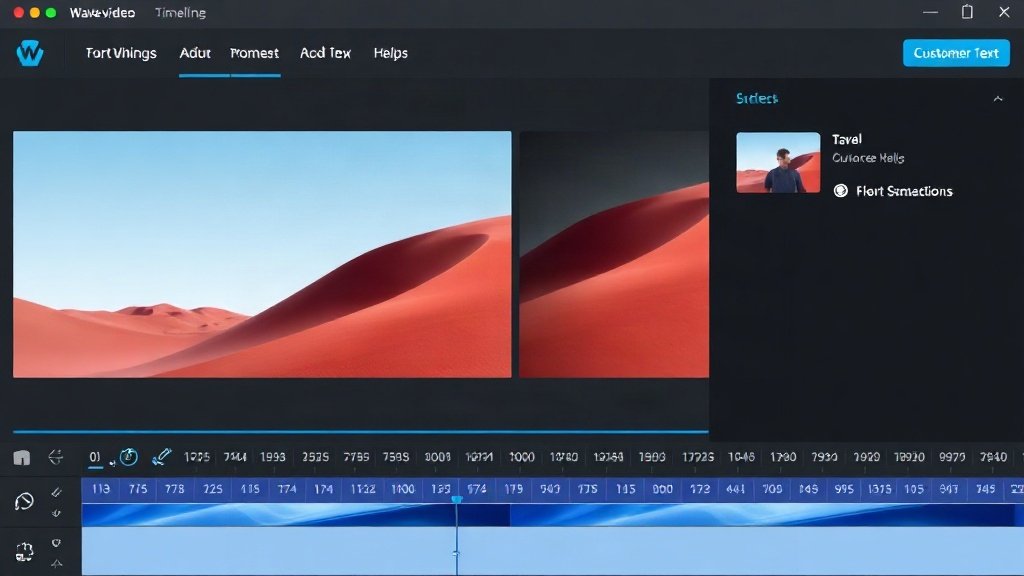
- Wave.video: Focuses on manual customization. You use a familiar drag-and-drop timeline, choose from thousands of stock clips, edit layouts, tweak transitions, and layer in effects for precise control.
The result: Vidquence minimizes hands-on editing, ideal for volume and speed. Wave.video offers granular control for creators who enjoy refining each element.
Which Platform Matches Your Social Video Style?
Your choice between Vidquence and Wave.video depends on your typical content and production style. Let’s tackle common scenarios and which tool fits each best:
If You Want to Publish Fast and Often
- Releasing daily news bites, product updates, or industry tips?
- Running a faceless YouTube channel or batch-creating TikTok and Shorts?
Vidquence shines here. You paste your script or topic, pick a style, and the platform generates an entire video—voiceover included. There’s no timeline or manual editing unless you want it. You can respond to trends or campaigns quickly: production time drops from hours to minutes.
For example, creators report scheduling a week’s worth of vertical Reels in less than 30 minutes with Vidquence, versus several hours editing by hand.
If You Crave Visual Control and Creative Editing
- Creating branded ads, story-driven social posts, or videos with multitrack audio?
- Want to customize every transition, text animation, or stock clip for a unique look?
Wave.video is your playground. Drag clips, build scenes, adjust layers, and fine-tune every text overlay. Its interface is closest to classic video editors (think Premiere, iMovie) but simplified for speed. You’ll get:
- Multi-track timeline for music, SFX, and voiceover
- Stock library with 300M+ assets
- Detailed color, font, and transition settings
Expect to invest more time per video—but with unmatched creative possibilities.
Features Face-Off: Vidquence vs Wave.video
| Feature | Vidquence | Wave.video |
|---|---|---|
| Video Creation Approach | AI automated (prompt/script/URL to video) | Manual via drag-and-drop editor |
| Voiceover & Captions | Built-in AI voice, auto-captions | Add voiceover files; type in captions manually |
| Templates | Auto-selects based on your script/topic | Hundreds of themed templates to customize |
| Aspect Ratios | Square, vertical, and landscape | Square, vertical, and landscape |
| Brand Assets | Uploads for colors/logos | Advanced style branding kits |
| Stock Assets | Automated in scenes as needed | Manual: select from built-in library |
| Video Hosting | No | Yes (with landing pages and embed codes) |
| Auto-scheduling/Post | Yes (auto-publishing to socials possible) | Yes (built-in scheduler & posting) |
| Pricing | One-time or annual fee | Monthly subscription |
Pros & Cons: When to Pick Each Platform
Here’s a quick rundown to help you decide:
- Pick Vidquence if:
- You want to focus on ideas, not editing.
- Output volume and speed matter more than granular design.
- You have scripts, prompts, or URLs ready to convert to video.
- You need faceless or talking-head video+voice quickly.
- You prefer predictable costs (annual or one-time fee).
- Pick Wave.video if:
- You prefer hands-on video editing and creative freedom.
- You need to build branded assets, overlays, landing pages, or want video hosting bundled in.
- Quality, custom motion graphics are a must.
- You’re comfortable with a monthly subscription.
Real-World Example: Batch Producing TikToks with Vidquence
Let’s say you run a lifestyle brand and need to publish three TikTok videos every day. With Wave.video, you would:
- Write your script.
- Find clips/images from the stock library.
- Drag elements onto the timeline, match to your script.
- Add captions and edit timing for every scene.
- Export and upload manually—or use the Wave.video scheduler.
Time per video: 20–30 minutes (for experienced users; longer with more edits).
With Vidquence, you’d:
- Paste your script (or prompt/topic).
- Let the AI generate your video with voiceover and captions applied.
- Review and make any quick tweaks (optional).
- Schedule or auto-publish directly.
Time per video: As little as 2–5 minutes—10x faster per video, especially for repetitive or format-driven content.
This workflow is why Vidquence has become a go-to for creators managing multiple social channels or faceless content. But if you want to design a pixel-perfect brand trailer, Wave.video gives you the toolkit.
FAQ: Choosing Your Social Video Platform
Can I use both Vidquence and Wave.video together?
Yes—some creators use Vidquence for quick video drafts, then import them to Wave.video for detailed edits. Or, use each platform for different types of campaigns (Vidquence for news, Wave.video for flagship content).
Does Vidquence allow as much creative editing as Wave.video?
No—Vidquence is built around automation and rapid production, which means less granular control. Wave.video’s timeline is ideal for hands-on creators.
Which tool scales better for growing content teams?
It depends: teams with heavy video output (newsrooms, agencies, product teams) might favor Vidquence for efficiency. Brands focused on custom campaigns or branded visuals often prefer Wave.video’s flexibility.
Conclusion: Which Social Video Platform Fits?
If you want to create lots of videos, fast, and focus on message over meticulous visuals, Vidquence is likely the Wave.video alternative for you. If you’re a creative who lives for hands-on editing—or need hosting, landing pages, and publishing in one—Wave.video is the clear choice.
Both platforms let you cover all social aspect ratios and make sharing a breeze. For many creators, the real win is picking one for speed (Vidquence) and one for custom branding (Wave.video)—then letting your workflow decide.