

Choosing between Vidquence and InVideo could make or break your video creation workflow, especially if you value speed, consistency, or hands-on editing control. This guide digs deep into how these two leading AI video platforms actually stack up—so you can confidently pick the right tool for your next project or content push.
Vidquence vs InVideo: A Quick-Glance Comparison
- Vidquence: Focuses on ultra-fast automated video generation from prompts, scripts, or links. Designed for creators and teams wanting volume, automation, and seamless publishing.
- InVideo: Known for its template-driven editor, broad stock media access, and strong manual editing options—great for polished social or marketing content.
Both platforms let you generate AI-powered videos in your browser, but their workflows and strengths differ in ways that really matter. Let’s get specific about how.
Who Uses Each: Solo Creators, Marketers, and Teams
Your best platform depends on what (and how much) video you need to make:
- Solo creators & short-form specialists: Usually prioritize speed and simple workflows. Automation and one-click output often trump deep customization.
- Agencies, brands, and marketing teams: May trade speed for brand consistency, reusable assets, detailed templates, or granular editing controls.
If you mostly make quick shorts, faceless content, or high-volume repurposed videos, an automation-first tool (like Vidquence) can boost your output tremendously. If you’re shipping polished explainers, branded social ads, or collaborative projects, deep template libraries and editing tools (like those in InVideo) might be critical.
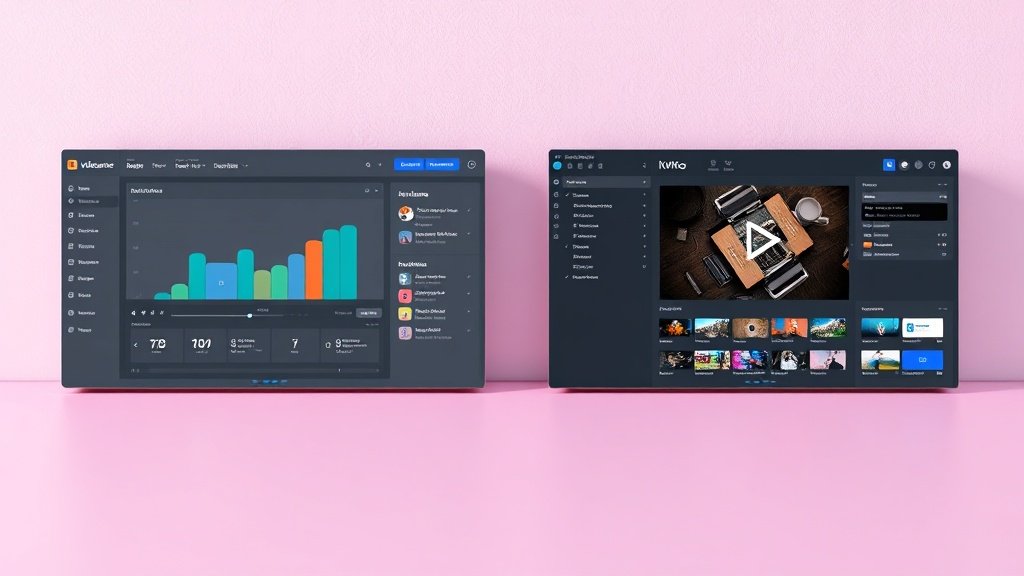
Workflow: Prompt-Driven Automation vs. Scene-by-Scene Editing
This is the heart of the ‘Vidquence vs InVideo’ dilemma. Here’s a breakdown:
- Vidquence: Start with a prompt, script, or URL. The AI generates each scene, voiceover, and caption in seconds. Minimal manual intervention; great for producing dozens of videos fast, and perfect for faceless YouTube channels or trend-driven social posts.
- InVideo: Start with a template, script, or AI prompt, then fine-tune each scene, swap stock footage, edit text overlays, and adapt for multiple aspect ratios. Works well if you want creative control and iterative refinements.
Think of it like this: Vidquence emphasizes automation, speed, and scalability; InVideo shines with templates, editing tools, and brand polish.
Editing Control and Flexibility
How much do you actually need to tweak each video?
- Vidquence: Prioritizes rapid generation with AI. While you can edit scenes, voice, and subtitles, the main draw is not deep timeline tweaking—it’s quick drafts and finished outputs from minimal input.
- InVideo: Offers timeline-based editing, scene-by-scene control, and drag-and-drop elements. You get more space for custom animations, transitions, text blocks, and detailed brand touches. Especially strong for explainer videos, promo reels, and anything needing several rounds of adjustment.
If you want to hit “publish” faster (and often), Vidquence has the edge. If each video must be dialed in, InVideo’s manual controls are unbeatable.
Templates, Stock, and Branding Features
- Template Ecosystem: InVideo’s library is huge—thousands of ready-made layouts for different industries, social platforms, ads, and explainer types. This is a big draw if brand consistency and quick adaptation to trends matter to you.
- Stock Media: Both tools offer access to stock footage/photos, but InVideo puts more focus on searchable, categorized libraries baked right into its editor.
- Branding Kit: InVideo supports brand kits, saved themes, and template re-use. Vidquence generates videos to match your script, but is more about auto-generation than curated, branded layouts.
So, for high-frequency content repurposing, Vidquence rules. For campaigns, branding, and cross-platform polish, InVideo’s depth is hard to beat.
AI Voices, Captions, and Output Formats
- AI Voiceovers: Both platforms generate lifelike AI narration. In practice, Vidquence often emphasizes more “one-click” voiceover per scene, while InVideo lets you select and swap from a wider range of styles.
- Subtitles & Captions: Both offer auto-captioning, vital for TikTok, Reels, Shorts, and accessibility.
- Export Options: InVideo boasts presets for horizontal (YouTube), square (Instagram), and vertical (TikTok), letting you quickly adapt videos for any platform. Vidquence optimizes for core social outputs and faceless channels.
If you’re iterating social content or running A/B tests, output flexibility matters.
Publishing & Automation
Vidquence stands out for workflow automation—turning scripts/URLs into finished videos and letting you schedule auto-publishing to YouTube and social channels. This hands-off approach slashes time for busy creators and small businesses.
InVideo supports direct downloads, sharing, and some integrations, but emphasizes project-based editing over hands-off pipelines.
When Vidquence Makes Sense
- High-volume, low-touch production: faceless YouTube, news, explainer channels
- Repurposing blog posts, news, or scripts into videos—with minimal steps
- Solo creators or teams who value pipeline automation over micro-editing
When InVideo Makes Sense
- Creative control and scene-by-scene editing is a must
- Brand templates, campaigns, and consistent look/feel
- Agencies or marketers delivering polished promo, ad, or social content

Pricing and Value: What Do You Get?
As of early 2026, both platforms offer free trials and pro plans. InVideo’s pricing tiers are public, with clear limits on exports and brand features. Vidquence often updates tiers around video volume, automation features, and team seats—check their sites for current offers since these can change rapidly as new AI tools roll out.
The real cost difference: Are you maximizing value through batch automation (Vidquence) or deep creative flexibility (InVideo)? The choice saves both time and money if you align features to actual workflow.
FAQ: Common Questions About Vidquence vs InVideo
- Can I use both platforms for YouTube and Shorts?
Yes—both let you generate and export videos for YouTube, Shorts, TikTok, and Instagram. Vidquence is popular for faceless long-form; InVideo is stronger at branded, short-form explainers. - Which is better for beginners?
Vidquence has a lower learning curve for automation and quick video creation. InVideo is beginner-friendly but rewards you more as you learn its template system and editing tools. - Do I get unlimited video exports?
Most paid plans for both platforms have some export limits. Always check current export caps—especially if producing in high volume. - Where does Vidquence have a unique edge?
Vidquence streamlines turning written content or prompts into finished videos at scale, including voiceover, captions, and even publishing on autopilot—huge for scaling up content production.
Conclusion: Choose Workflow, Not Just Features
The best AI video platform isn’t about which is flashiest—but which matches how you actually create. If your goal is hands-off video creation for volume, try Vidquence’s pipeline from prompt to publish. For full creative control and endless templates, InVideo leads the way. Every team or creator hits roadblocks in different places—pick the tool that bulldozes your bottlenecks, and you’ll ship more videos, more easily, than ever.