
No more setting alarms to post your YouTube videos at peak hours. With the right tools and workflow, you can schedule and auto-publish content—even across multiple platforms—with minimal fuss. In this guide, you’ll get hands-on steps to schedule and auto-publish videos to YouTube, plus tips to use Vidquence and third-party tools for a truly seamless video publishing process.
Why Scheduling & Auto-Publishing YouTube Videos Matters
Staying consistent is key for growth on YouTube. But let’s face it—posting at the perfect time is hard, especially when you’re juggling multiple channels, time zones, or other platforms like TikTok and Instagram. Scheduling and auto-publishing lets you:
- Batch produce and plan your content calendar weeks (or even months) in advance
- Reach your audience at optimal times—even if you’re asleep or busy
- Keep up a regular upload rhythm (YouTube’s algorithm approves!)
- Avoid the stress of last-minute uploads and missed deadlines
How to Schedule & Auto-Publish Videos With YouTube Studio
If you want an official, no-fuss way to schedule your videos, YouTube Studio is all you need. As of now, it’s the only first-party, 100% verified method for native YouTube scheduling and auto-publishing.
Step-by-Step: Native Scheduling in YouTube Studio
- Go to YouTube Studio: Access your channel dashboard.
- Click Create → Upload Videos: Upload your video as usual.
- Add all details: Title, description, thumbnail, tags, playlist, category, audience (COPPA compliance), and any AI disclosures.
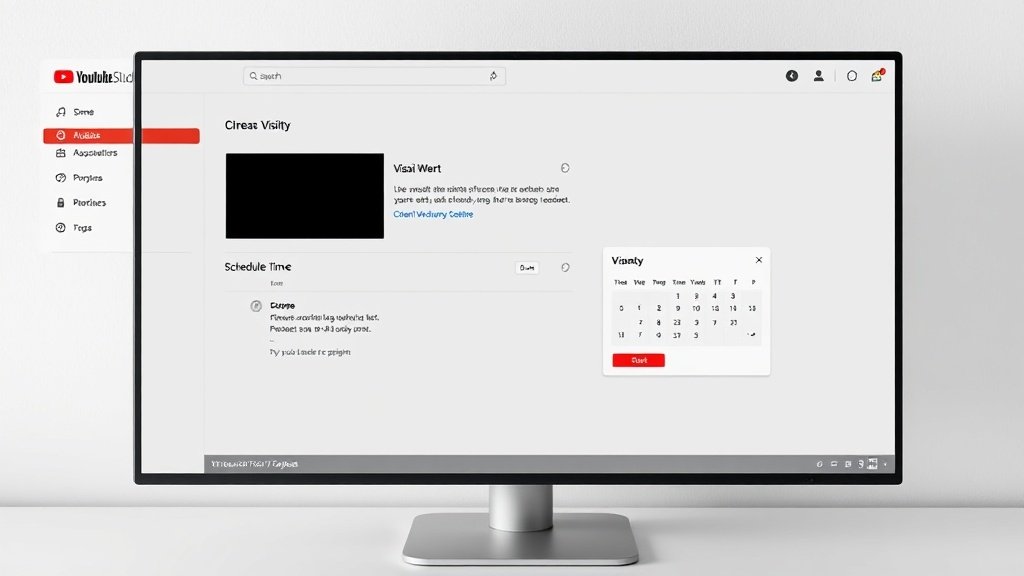
- In the Visibility section, choose Schedule.
- Select your publish date, time, and time zone: Double-check everything—the video remains private until that precise moment.
- Click Schedule: You’re done! Your video will go public automatically at your chosen slot.
Tip: YouTube lets you schedule uploads as far in advance as you’d like. Scheduled videos show up in your Video list as ‘Scheduled’ until they’re published.
Pros & Cons of the Native YouTube Scheduler
- Pros: Free, secure, no third-party integrations required, supports every video type (long-form, Shorts, playlists, Live).
- Cons: No cross-posting, no advanced automations, metadata editing after scheduling isn’t always seamless, and you can only schedule one video at a time (no mass scheduling).
Going Beyond: Third-Party Tools for Auto-Publishing
If you want to streamline batch uploads, cross-post to multiple platforms, or manage advanced workflows, third-party scheduling platforms are worth considering. Here are two currently leading solutions:
PublishQ: Advanced YouTube Scheduling & Metadata
PublishQ lets you schedule both regular YouTube videos and Shorts, with granular control over:
- Privacy (Public, Unlisted, Private)
- Video metadata: tags, categories, playlists
- COPPA and AI disclosure settings
- Cross-posting: Publish automatically to TikTok and Instagram in one flow
This is ideal if you want to automate multi-platform releases, manage compliance en-masse, or keep your YouTube presence humming without switching tabs all day.
Bytecap: Edit, Caption, and Schedule — All-in-One
Bytecap blends AI-powered video editing and auto-captioning with direct scheduling to YouTube, TikTok, LinkedIn, X, and Instagram. It supports scheduling up to two months in advance, so you can prep your entire content quarter at once. Everything—resizing, captions, thumbnails, publish times—is handled on the same dashboard.
Native Scheduling vs. Third-Party: Quick Comparison
- YouTube Studio: Pure YouTube workflow, bulletproof for channel owners, limited to one platform.
- PublishQ / Bytecap: Multi-platform, richer metadata tools, batch upload/scheduling, compliance tools—great for agencies, teams, or solo creators expanding across social video.
How Vidquence Fits: Create Faceless Videos, Then Schedule
Vidquence’s superpower is turning your ideas—prompts, blog posts, scripts, URLs—into ready-to-upload videos with voiceovers, b-roll, captions, and more, all in minutes. But what about auto-publishing?
While the Vidquence platform currently focuses on video creation and editing, it’s easy to blend Vidquence with the scheduling workflows above:
- Generate a video with Vidquence: Start from a script, prompt, or URL to create a video optimized for YouTube or Shorts.
- Download your finished video (MP4): Grab your file as soon as it’s rendered.
- Upload to YouTube Studio, PublishQ, or Bytecap: Use your scheduler of choice to batch upload and set your video’s publish details.
- Repeat for the rest of your content calendar: You can create a week’s worth (or more) of videos in one Vidquence session, then schedule them all at once.
You get the speed and creative power of Vidquence—plus the peace of mind that your videos will go live exactly when you want.
FAQ: Scheduling & Auto-Publishing YouTube Videos
Can I schedule unlimited YouTube videos in advance?
Yes—using YouTube Studio, there are no strict scheduling limits for uploads. Tools like Bytecap let you schedule up to two months out, which covers most marketing calendars.
Will my scheduled videos go live if I’m not online?
Absolutely. Once scheduled (whether natively or using a trusted tool like PublishQ), your video will publish automatically at the set day and time, no further action needed.
Is there a difference between scheduling in YouTube Studio versus third-party tools?
YouTube Studio is the official, direct route—reliable and handled within YouTube itself. Third-party tools add features such as cross-posting, batch scheduling, and richer metadata for advanced workflows.
How does Vidquence speed up the process?
Vidquence eliminates video creation bottlenecks by letting you script, generate, and edit publishing-ready videos fast. Combine it with a scheduler for full automation from idea to audience.
Takeaway: Batch, Schedule, and Focus on What Matters
Don’t waste another hour micromanaging YouTube releases. Use native scheduling in YouTube Studio for simplicity, or try third-party tools if you need advanced options and cross-platform publishing. With Vidquence’s rapid video creation, you can generate a content backlog in no time—then schedule, auto-publish, and get back to growing your channel (or your business).