

Accessibility, reach, and engagement—they’re all supercharged by one technology: automated captioning. If you’re creating videos for YouTube, social media, or business, understanding how automated captioning works on top AI video platforms can unlock a bigger audience and better results for every upload. This guide breaks down the basics, shows what’s possible with today’s tools, and gives you practical insights for your next project.
What Is Automated Captioning, and How Does It Work?
Automated captioning uses AI-powered speech recognition to convert spoken words in a video into on-screen, time-synced text. Some systems also tag non-speech sounds, like [laughter] or [music]. It can happen in real-time (live) or after the video is recorded, generating either closed captions (you can turn them on/off) or subtitles (often always on, often translations or dialogue-only).
- Closed captions: Focus on accessibility—include speech and key sounds for viewers who are deaf or hard of hearing.
- Subtitles: Typically dialogue-only and sometimes provide translations for viewers who speak a different language.
The backbone of automated captioning is advanced AI: speech recognition (turning voice to text), natural language processing (understanding context), and synchronization algorithms to match text with video timing. Today’s systems are far more accurate than a decade ago, especially when trained on vast, diverse datasets.
Why Automated Captioning Matters (and Who Benefits)
Captioning isn’t just about compliance, though that’s important. It directly boosts video’s usability and performance:
- Accessibility: For 430+ million people worldwide with disabling hearing loss (WHO), captions can make video content usable. That’s not just a legal checkbox—it’s a new audience.
- Silent autoplay & noisy environments: On platforms like Facebook, 85% of videos are watched without sound. Captions let you communicate, even when your viewers can’t hear you.
- Search & SEO: Text captions help platforms index your video content, making it more discoverable.
- Learning & comprehension: Many viewers absorb information better by reading along—especially for dense, technical, or rapid-fire content.
Whether you’re a marketer increasing engagement or an educator broadening reach, well-crafted captions are crucial.
Automated Captioning in Action: How Leading Platforms Do It
The world’s biggest platforms rely on AI for their captioning features. Here’s how some mainstream players are handling automated captioning:
YouTube: Pioneering Automatic Captions Since 2009
YouTube rolled out automatic captions over a decade ago using Google’s speech recognition. Today, its system supports multiple languages and allows creators to edit, download, or supplement captions for greater accuracy. The familiar CC button makes captions accessible to billions—but accuracy still varies based on speaker clarity, accents, and background noise.
Facebook: Pushing Accessibility for Live and Uploaded Videos
Facebook began rolling out automated captions for live videos in 2017, aiming to improve accessibility and engagement in the newsfeed’s sound-off world. Automated caption overlays help keep viewers engaged longer—critical on attention-driven platforms. Creators can review and edit captions before posts go live, balancing speed with accuracy.
Zoom: Real-Time, AI-Powered Meeting Captions
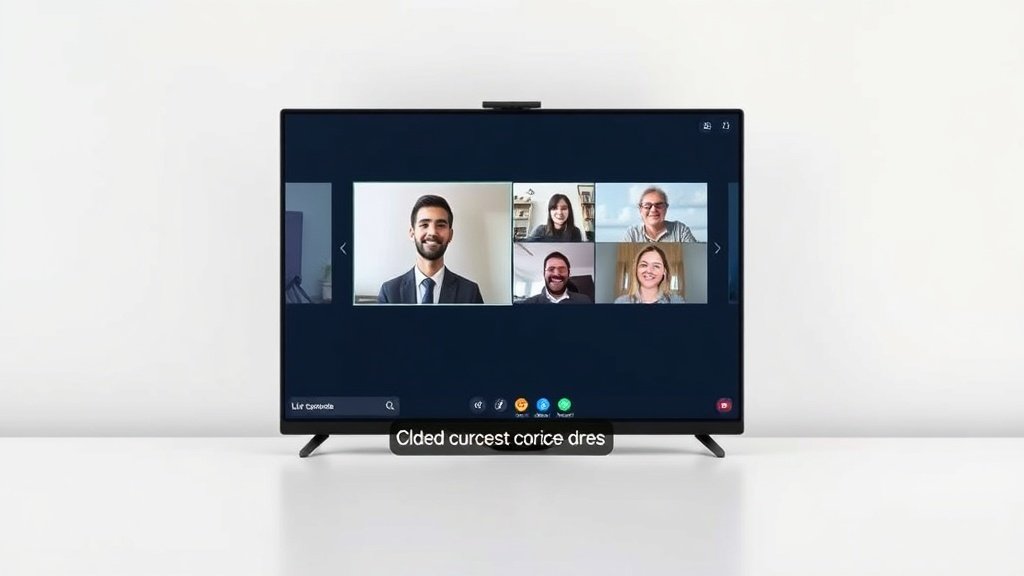
Zoom integrated real-time, automated captioning in 2020. During meetings, participants see live transcriptions, making virtual collaboration more inclusive, especially for participants in noisy places or with hearing impairments. Live captioning is technically harder than post-production—AI must juggle multiple speakers, overlapping voices, and varied audio quality with little margin for delay.
Behind the Scenes: AI Leaders Powering Better Captioning
Several giants have invested deeply in AI models that are now the backbone of automated captioning across these platforms:
- Google Cloud Speech-to-Text: The engine behind YouTube’s captioning, with robust multilingual, contextual, and noisy-environment support.
- Microsoft Azure Speech Services: Used in enterprise, meetings, and inclusive learning tools. Offers customization for domain-specific terminology.
- IBM Watson Speech to Text: Known for enterprise reliability, analytics, and supporting complex vocabulary.
Continuous advances in speech recognition and NLP are shrinking the gap between automated and human captioning, but perfection isn’t guaranteed.
Automated Captioning: The Caveats
No AI captioning tool is flawless. Here’s why accuracy can vary:
- Speaker clarity: Fast talkers, mumblers, or speakers with strong accents are harder for automatic systems to understand.
- Background noise: Music, applause, or crosstalk all muddy the signal.
- Vocabulary: Specialized or technical language may get garbled unless you train a custom model or manually correct captions.
- Real-time vs. recorded: Post-production captions allow for corrections; live captions must prioritize speed, risking more errors.
Some platforms let you edit auto-generated captions for better accuracy. For critical content (medical, legal, or brand-driven), a quick review or manual polish is best practice.
How Automated Captioning Supports Creators and Businesses
Beyond accessibility, automated captioning directly impacts marketing and growth:
- Videos with captions see greater average view time—on Facebook, this means up to 12% longer watch times.
- Social shares: Captioned videos are more easily shared and understood by wider audiences.
- SEO wins: Search engines can index the caption text, making your videos more findable.
If you’re using an AI video platform like Vidquence, you can automatically generate video captions with every project, making your content instantly more accessible for audiences on YouTube, Shorts, reels, and beyond—no extra tools required.
Quick FAQ: Automated Captioning in Video Platforms
- What’s the difference between closed captions and subtitles?
Closed captions serve accessibility by including dialogue and key non-speech sounds—think [music playing]. Subtitles are usually just a transcript or translation of spoken words. - How accurate is automated captioning?
Modern AI models can achieve word error rates below 10% in optimal conditions, but tough audio or unfamiliar accents will lower accuracy. Always review for important projects. - Which video platforms offer automated captions?
Most major platforms do: YouTube, Facebook, Zoom, and many AI video tools (like Vidquence) now bundle automated captioning as a core feature. - Can I edit automatic captions?
Yes—many tools allow you to download, manually adjust, or re-upload caption files to fix mistakes or add details.
Conclusion: Automated Captioning Is Now a Must-Have, Not a Bonus
Automated captioning has evolved from nice-to-have to mission-critical in the era of inclusive, global video publishing. Top platforms have integrated AI-driven captioning to widen accessibility, boost engagement, and make discovery effortless—for billions of viewers. If you’re building video for modern audiences, leveraging automated captioning (and refining it when accuracy matters) will help you reach more people, more effectively, every time you hit publish.