
Imagine describing your ideal video in a sentence—say, “a drone flying over a sunny mountain range”—and watching the footage appear before your eyes. That’s exactly what an AI video generator unlocks: a way to transform prompts, scripts, or images into finished video with almost no manual editing.
This technology is reshaping content creation for entrepreneurs, marketers, educators, and more. In this guide, you’ll get a concrete look at how AI video generators work, what sets them apart, and real-world examples of advanced platforms.
What is an AI Video Generator?
An AI video generator is software that uses artificial intelligence to automatically create video from input you provide—like a written description, storyboard, or static image. Instead of shooting or animating footage frame-by-frame, you just describe what you want. The AI handles the rest, outputting a video complete with visuals, motion, and often synchronized audio or narration.
This shift is as dramatic as moving from hand-writing letters to sending instant messages. AI video generation is used across marketing, education, internal training, entertainment, and social media because it slashes production time and cost.
How Does an AI Video Generator Work?
The workflow behind the curtain is more advanced than simple video editing. Here’s a step-by-step breakdown:
- Input Processing: You submit a prompt—text, image, narrated script, or even a URL. Sophisticated models, like those behind text-to-video tools, interpret your request and analyze what you’re asking for.
- AI Generation: The system generates video frames to visualize your idea. Under the hood, generative artificial intelligence learned from vast sets of real-world footage, scripting, and narration. Newer systems use video diffusion models that start with randomized, grainy motion (noise) and iteratively refine it into clearer, meaningful video—guided by your prompt.
- Audio & Voiceover (Optional): Many AI video generators synthesize matching voiceovers, add music, or mix in sound effects, so you get a complete video ready to publish.
- Output Delivery: The platform compiles generated assets into a finished video file. Advanced platforms let you edit, re-generate, or refine sections—so you’re never stuck with just one version.
AI Video Generator Approaches: Text, Image, Script
What you provide as input shapes what the AI builds. Here’s how common approaches differ:
- Text-to-video: Describe the scene (“puppies in a park”) and the AI crafts visuals to match—as seen in platforms like Google Veo 3.1.
- Image-to-video: Supply an image, and the AI animates or expands it into motion—ideal for making product shots or art pieces dynamic.
- Script-to-video: Paste a full script, and the tool sequences scenes, generates B-roll, and synthesizes voice for a complete video.
Some platforms mix these inputs for multi-shot or multi-scene videos—see Kling 3.0’s AI Director, which lets you storyboard scenes for smoother storytelling within seconds.
Traditional Video Creation vs. AI Generation
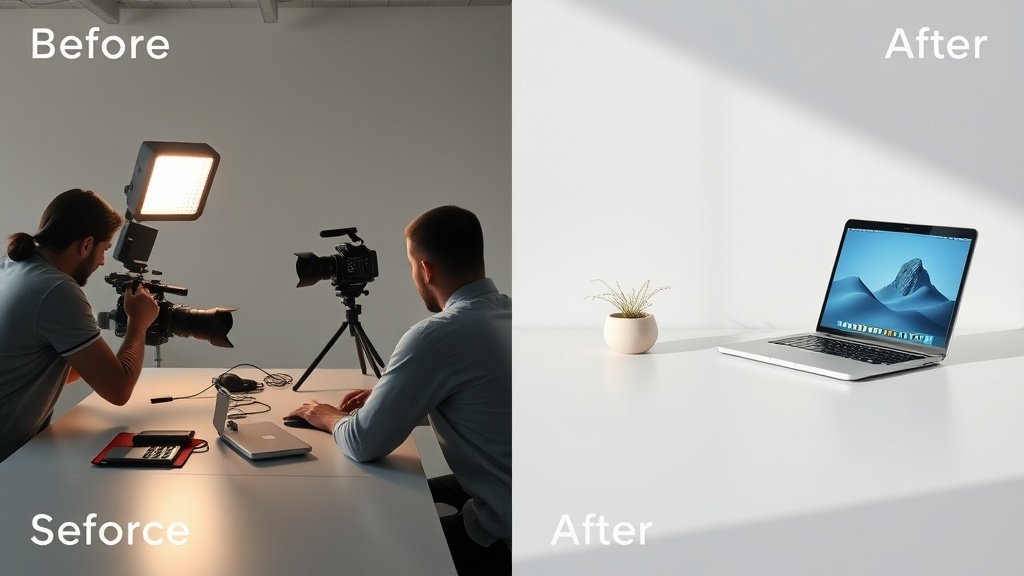
- Manual editing: Requires scripting, filming, editing, voiceover, and animation—dozens of hours, huge budgets, and multiple skillsets.
- AI generation: Reduces the process to a prompt and a few clicks—great for small teams, rapid social clips, or concept previews.
This isn’t about replacing classic filmmaking, but giving you a way to create more types of video, much faster—no crew required.
How Generative AI Turns Prompts into Video
Let’s take a closer look at the underlying technology powering most advanced AI video generators: generative AI and, more specifically, video diffusion models.
Generative AI “learns” from millions of video examples. When you give it a prompt, it tries to build a new video—never a copy—using what it has learned about how objects, movement, and sounds connect in the real world.
Diffusion models begin by generating noise—literally, static-filled frames. Step by step, the AI “denoises” these frames, guided by your text or image prompt, until a clear, coherent video sequence emerges. This is how top systems produce surprisingly photoreal scenes and complex action, rather than generic or flickery clips.

Real-World Examples: Veo 3.1, Kling 3.0, Adobe Firefly
- Google Veo 3.1 (January 2026): Raised the bar for photoreal motion, especially with accurate walking, hand gestures, and expressive faces. Used for marketing, concept art, and YouTube-style content that needs a “real” look.
- Kling 3.0 (February 2026): Introduced the “AI Director” for multi-shot storyboarding within a single 15-second clip, plus support for 4K exports and synced dialogue in multiple languages—making it possible to visualize complex ads or explainer videos instantly.
- Adobe Firefly: Focused on creative teams needing prompt-based video editing and rapid iterations using familiar timeline tools, blending generative power with hands-on control.
These tools rapidly moved from simple, silent animations to polished, sound-enabled video—some even let you iterate on individual shots before export.
Key Benefits of AI Video Generators
- Speed: Draft a video in minutes—not days or weeks.
- Cost: Eliminate production crews, actors, and location fees.
- Scalability: Make versions for different products, audiences, or languages at no extra cost.
- Creativity Unleashed: Prototype ideas rapidly, test marketing concepts, or produce more content without bottlenecks.
For example, a boutique e-commerce brand can use an AI video generator to visualize dozens of product ads for social—instead of hiring actors and booking daily shoots.
Advanced Features and Editing Options
Top AI video generators don’t just stop at single-scene output. They let you:
- Storyboard multi-shot sequences (Kling 3.0’s “AI Director”).
- Edit and re-generate specific scenes or frames.
- Export in 4K, add subtitles, captions, and sync multilingual voiceover.
- Publish directly to social or YouTube.
Platforms like Vidquence even automate the upload process and help you fine-tune narration, captions, and formats for every social channel—all from a single workspace.
FAQ: AI Video Generators Explained
- Can AI video generators make a complete YouTube video from a script?
Yes. With platforms like Vidquence, you paste in your script or prompt, and the system generates relevant visuals, a voiceover, synced captions, and delivers a finished video you can edit or publish automatically.
- Isn’t the result generic or glitchy?
Not anymore. Leading systems (Google Veo 3.1, Kling 3.0) produce surprisingly convincing and nuanced motion, facial expression, and action. You can always refine or regenerate sections if needed. - What about ethical risks, like deepfakes?
There are real concerns, particularly with misuse for misinformation. Most reputable platforms watermark AI-generated content and implement safeguards to prevent malicious use. - How much does an AI video generator cost?
Plans range widely: some tools offer free trials or credits, with paid tiers from $20–$80/month common for business-grade features.
Conclusion
AI video generators have streamlined video creation for everyone from solo creators to Fortune 500 brands. With a simple prompt or script, you can generate complete videos—voiceover, captions, and all—in minutes. The tech has matured rapidly: as of 2026, tools like Google Veo 3.1 and Kling 3.0 showcase photoreal results and deeply customizable storytelling.
Now, even if you’re not a video editor, you can scale your content with the right AI video generator—saving time, cost, and creative effort.