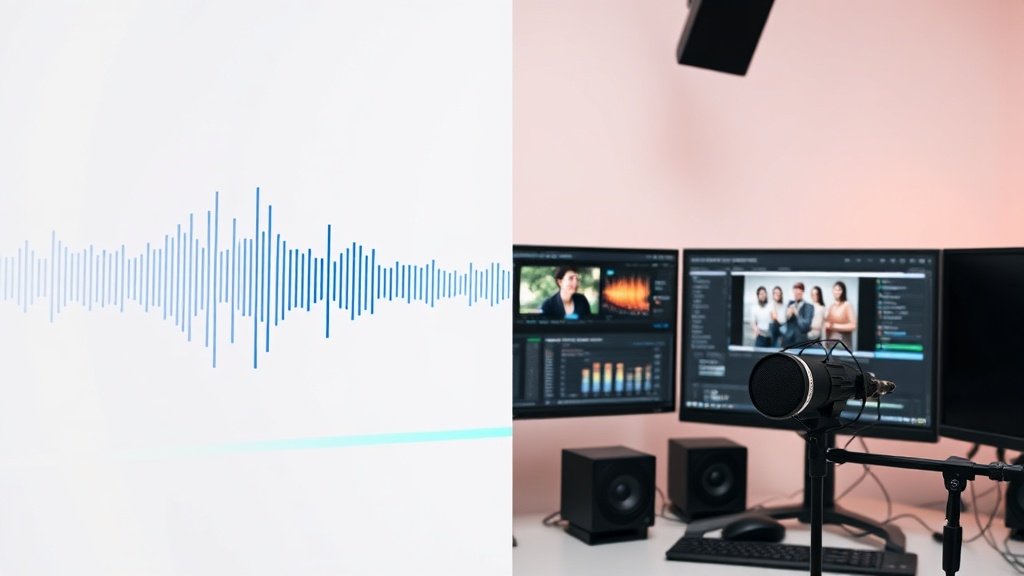
Ready to add pro-quality narration to your videos without a recording booth or booking a voice actor? This guide breaks down exactly how to use AI voiceover—what it is, how creators deploy it, proven workflows that save you hours, smart tool picks, and the must-know caveats. Step up your video output without stepping into a studio.
What Is AI Voiceover?
AI voiceover refers to synthetic narration generated from written text—usually powered by advanced text-to-speech (TTS) systems. These tools analyze your script, map the words to speech, and generate human-like audio in minutes. Gone are the days of robotic monotone; today’s AI can inflect, pause, and even emulate recognizable voices.
This tech is now common for:
- Explainers & tutorials
- Video ads & promos
- Social media videos (YouTube, TikTok Shorts, Instagram)
- Product demos
- Multilingual versions of videos
How AI Voiceover Works: The Nuts and Bolts
Most AI voiceover platforms follow a simple core pipeline:
- Script in: Paste (or prompt) your text script.
- Select a voice: Choose a gender, accent, or even a specific style or emotion.
- Adjust settings (pace, pitch, emphasis, pauses, etc).
- Preview and tweak: Listen, adjust awkward lines, add line breaks for natural phrasing.
- Export audio and sync to your video timeline with visuals and captions.
You get quick, crisp narration—ready to publish or edit further.
Modern Variations: Text-to-Speech vs. Voice Cloning
- Text-to-Speech (TTS): Converts any script into synthetic speech with a choice of standard AI voices. Best for general use and speed.
- Voice Cloning: Trains an AI model on samples of a real person’s voice—potentially mimicking celebrities, known actors, or yourself. Cloning can generate eerily authentic performances, but carries major legal and ethical risks if used without consent.
Case Example: 15.ai and AI Voice Acting
A landmark experiment was 15.ai, a free web platform by a pseudonymous MIT researcher. It enabled users to generate lines in the voices of fictional characters (like video game protagonists), complete with chosen emotions. The claim: With just 15 seconds of source audio, an AI voice model could be cloned—demonstrating how little data is needed for credible results (and why ownership matters).
Why Creators and Brands Lean on AI Voiceover
Time is the biggest win. When producing content at scale (hundreds of product clips, YouTube faceless channels, rapid-fire social posts), AI voice tools eliminate bottlenecks like studio booking, script revisions, and expensive re-records. You can:
- Instantly regenerate segments after any script or headline change
- Easily localize videos for multiple languages (many TTS engines include translation)
- Test different hooks or calls-to-action for A/B creative testing
- Lower production costs—no talent fees, session bookings, or equipment required
This is why top YouTube automation and social marketing teams now rely on AI narration for up to 90% of short-form videos.
End-to-End AI Voiceover Workflow: Step by Step
Here’s a proven workflow that works whether you’re making YouTube explainers or TikTok clips:
- Write a punchy script—using line breaks, commas, and extra spaces to indicate natural pauses.
- Paste the script into your AI voice tool (for example, Vidquence, Descript, Play.ht, or ElevenLabs).
- Select your preferred voice/style. Most platforms offer male/female, multiple accents, and sometimes emotions (e.g., energetic, neutral, friendly).
- Preview the output—listen for awkward phrasing or flat delivery. Mark or retype lines that need a pause, emphasis, or rewrite for clarity.
- Break up long paragraphs for better pacing—AI voices sound more human when they ‘breathe.’
- Download and import the audio into your video editor (or, with platforms like Vidquence, auto-sync narration to your cut).
- Edit visuals and captions, checking that speech timing matches scenes, on-screen text, or animation reveals.
- Final polish: Add a bed of music and export.
Pro tip: Tweaking punctuation (adding commas, ellipses, and periods for pauses/emphasis) and splitting up sentences will often improve the ‘realness’ more than swapping AI voices.
A Practical Example: Multilingual Product Video
Say you’re launching an app for both US and Spanish-speaking markets. With AI voiceover:
- Write/translate your script into Spanish.
- Run both English and Spanish scripts through your TTS engine, selecting relevant accents.
- Sync each narration to the same visuals and captions, export, and you now have platform-optimized videos for two audiences—no studio time required.
AI Voiceover: Pros, Cons, and Cautions
Advantages
- Speed: Iterates and produces in minutes, not hours.
- Scalability: Perfect for high-volume video projects and split-testing.
- Budget: Little or no spend compared to hiring a human pro for every draft.
- Localization: Many voices in various languages/accents by default.
Drawbacks
- Emotion and nuance: Even state-of-the-art voices struggle with subtle performance, humor, or drama compared to a seasoned actor (think America’s Funniest Home Videos or D. C. Douglas’s famous voice roles—still tough to replicate exactly).
- Generic tones: Some popular TTS voices sound common or overused (your video might ‘blend in’).
- Consent & rights: Clone anyone’s voice? Big legal gray areas unless you have their explicit permission. There are actual copyright, privacy, and ethical implications.
- Accidentally uncanny: Poorly tuned AI may deliver stilted or unnatural inflections, especially on complex emotional scripts.
Best Practices for Realistic, Engaging AI Voiceover
- Invest time in scripting. Pauses, rhythm, and emphasis are your best tools—use line breaks, bold text (where supported), and punctuation carefully.
- Split long-form narration into short sentences. Long, run-on dialogue is where AI suffers most.
- Regenerate weak lines. Don’t settle for a bad take; most tools let you quickly redo short segments.
- Sync captions automatically—ensures accessibility and helps with silent viewing, especially on mobile social feeds.
- Get consent for cloned voices. Only use your own, that of team members, or formal licensed/authorized voices.
- Experiment with format. For example: intro hook with a high-energy voice, main content with a calmer narrative.
Leading Tools and Platforms for AI Voiceover
- Vidquence: All-in-one AI video generator (script-to-video with built-in TTS, captions, and auto-publish—perfect for rapid YouTube/Shorts/Social production).
- 15.ai: For character and emotion-driven fictional voice synthesis (non-commercial).
- Descript: TTS plus voice cloning and video/audio editing in the same app.
- ElevenLabs: Advanced cloned voices, emotion control, strong language support.
- Play.ht: Multi-language, high-quality TTS with API integrations.
Every tool has a learning curve, and output quality varies—generally, realism improves with crisp scripts and thoughtful pacing.
FAQ: Your AI Voiceover Questions Answered
Can I use AI voiceover for YouTube monetization?
Yes. YouTube allows AI-generated narration, as long as your videos deliver value (avoid auto-generated content or copyright violations). Human-like pacing and originality are key for passing manual review.
Can I use AI to sound like a celebrity or known actor?
Only with their written permission. Rights, privacy, and consent matter—using someone’s voice/likeness without authorization can result in takedowns, demonetization, or legal issues (even if purely generated by AI).
How do I make AI voiceover sound less robotic?
Split scripts into short lines, insert natural pauses, and use lots of punctuation. Manually regenerate bad sections, and pick ‘premium’ or expressive voices where available. Some TTS engines let you specify emotions or custom pronunciations.
What’s the best tool for creators producing 10+ videos a week?
Look for all-in-one solutions like Vidquence, which handle script-to-video, voiceover, auto-syncing, and bulk social publishing in one flow—this maximizes your speed advantage without complex tool chains.
Conclusion: Is AI Voiceover Right For You?
If speed, agility, and scalability matter to your video strategy—and your content doesn’t require Oscar-worthy acting—AI voiceover is a powerful tool. With the right workflow, you’ll spend more time creating, less time recording, and reach wider audiences in more languages. Balance convenience against context: for signature brand spots or emotional storytelling, human actors still excel. But to keep up in high-volume video marketing, AI narration should be part of your toolkit.