
Craving faster YouTube channel growth without adding hours to your workload? If you batch create YouTube Shorts with AI, you can multiply content output in minutes, not days. That translates to more visibility, algorithm reach, and real momentum on autopilot—especially for creators, marketers, and lean teams.
Why Batch-Producing YouTube Shorts Works (and Wins)
Producing Shorts one-by-one eats up time: scripting, editing, captioning, thumbnail drafts, and uploading each video individually splinters your focus. Batch production flips the model: you create multiple Shorts in one session by reusing templates, leveraging AI for repetitive tasks, and automating wherever possible. Here’s why this approach is a shortcut to scale and speed:
- Greater channel growth: Channels uploading 20+ Shorts/month see up to 30% faster subscriber growth (per YouTube’s 2023 creator analytics).
- More shots at virality: Every Short is an extra chance for the algorithm to surface your content—especially when you test different hooks and angles.
- Consistency without burnout: Batching lets you build a content library and schedule ahead, so engagement rolls in even on your off days.
Batch Creating YouTube Shorts with AI: The Complete Workflow
AI tools don’t just make content faster. They can keep your brand voice sharp, help you repurpose gold from long-form sources, and automate captions, voiceovers, and metadata at scale. Here’s a step-by-step workflow to batch create YouTube Shorts with AI tools:
Step 1: Pick a Source and Plan Your Batch
The fastest path is repurposing a single high-value asset—like a long YouTube video, podcast, newsletter, or blog post. For example, one 10-minute video might yield 5-10 distinct Shorts using different hooks.
- Gather your source materials and insights from YouTube Studio analytics—what topics are already hitting?
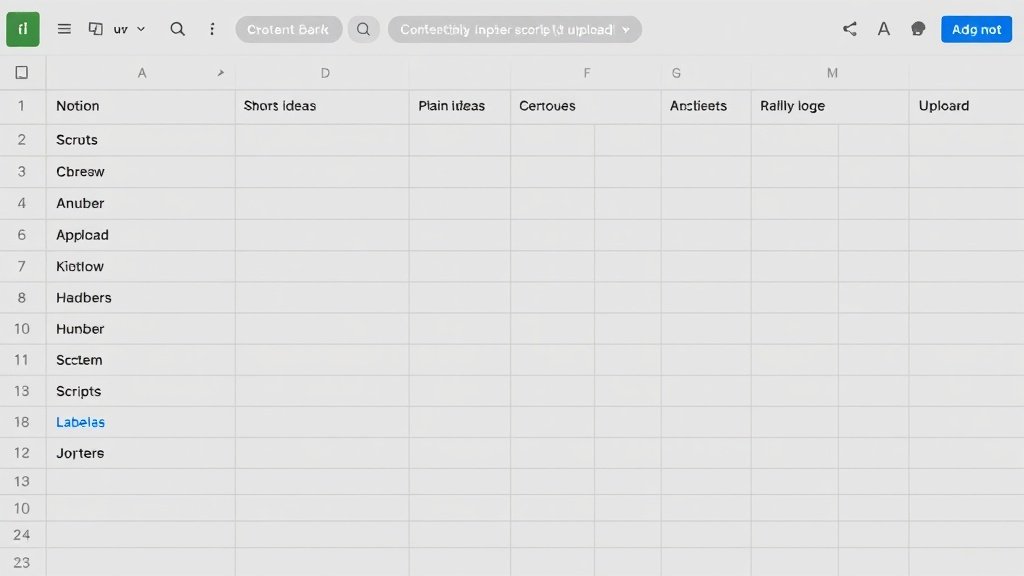
- Use a content tracker (spreadsheet or Notion) with columns for hooks, scripts, video status, and upload schedule.
Step 2: Generate Hooks, Titles, and Scripts Using AI Prompts
Attention-winning first seconds are everything. Use ChatGPT or similar AI writers to brainstorm:
- Multiple hooks for each topic (“What if you could double your income with one YouTube trick?”)
- Script rewrites to fit 30–60sec Shorts (aim for 80–120 words)
- Batches of title and caption options
Example prompt for ChatGPT: “Rewrite this podcast segment into 5 punchy YouTube Shorts scripts, each with a different opening hook.”
Step 3: Voiceover Creation and Caption Automation
AI voice tools (ElevenLabs, or integrated solutions like Vidquence) let you turn scripts into human-like narration at scale. Many creators find the sweet spot is picking one signature voice and fine-tuning delivery so viewers start to recognize your sound.
- Upload your scripts in batches for lightning-fast voiceover generation.
- Review and tweak for pacing—YouTube retention graphs show you exactly where viewers drop off.
Next, auto-captioning (using CapCut, Descript, or Vidquence) handles the heavy lifting—crucial since over 65% of Shorts are watched on mute, according to YouTube’s product team. Add text overlays for hooks and keywords across every Short.
Step 4: Visuals, Templates, and Fast Editing
Templates are your batching superpower. Set up default styles for captions, transitions, colors, and any recurring visual effects. Most Shorts editors offer reusable templates (CapCut, Canva, Premiere Pro, and Vidquence’s AI-powered flows).
- Apply your template to multiple edits—this keeps branding tight and makes fast adjustments possible if you want to refresh your style later.
- Drop in assets or let AI suggest b-roll and effects where your script calls for them.
With tools like Vidquence, you can turn a written script or article link into several audience-ready Shorts in seconds: just paste, select your voiceover and template, and batch export for upload or scheduling.
Step 5: Metadata, Scheduling, and Upload
Optimized titles, descriptions, and hashtags give your Shorts discoverability in the feed. AI tools (including ChatGPT, TubeBuddy, and built-in solutions in platforms like Vidquence) let you:
- Draft metadata in a flash (“Suggest 10 YouTube Shorts titles based on this script”)
- Auto-publish or batch-schedule via YouTube Studio so your Shorts go live when your audience is most active

Pro Tips for Effective AI Shorts Batching
- Group by concept, not just by date. Batching works best when you focus on one niche, audience, or theme—this lets you recycle hooks, templates, and scripts for maximum speed.
- Test and refine. Use YouTube Studio analytics to spot your top performers and double down—batch-produce follow-ups or variations with hooks proven to keep viewers watching.
- Mix in trend research. Tools like Google Trends, TubeBuddy, and vidIQ show what’s taking off—build themed batches around rising topics for timely engagement spikes.
- Balance volume and quality. AI can churn out a lot, but review every Short for clarity, on-brand polish, and audience value. Consistent quality matters just as much as hitting upload numbers.
Real Example: 1 Long Video Repurposed into 6 Shorts
Let’s say you have a 20-minute explainer video on “How to Start a Faceless YouTube Channel.” Using the above workflow, you might:
- Extract 6 key tips/segments using AI-assisted transcript tools.
- Write 3 hook variations for each point (18 potential Shorts scripts).
- Use a recurring template and AI-generated voiceover to batch edit all 6–12 Shorts in a single 3-hour session.
With output this fast, you fill your content calendar for weeks, and your channel keeps surfacing in the Shorts feed.
Popular AI Tools for Batching YouTube Shorts
- ChatGPT: Hook, script, and title brainstorming, content variation, and metadata writing.
- CapCut & Canva: Fast video editing, templates, and on-screen text.
- Descript: Transcript-driven editing and caption automation.
- ElevenLabs, Vidquence: AI voiceover generation (Vidquence also handles multi-step batching: script, voice, visuals, captions, and auto-upload in one flow).
FAQ: Batching YouTube Shorts with AI
How many Shorts should I batch at once?
Many pros aim for 5–15 Shorts per batch. Repurposing allows multiple variations from a single core script, but balance batch size with your review process for best results.
Is there a risk that AI voices harm authenticity?
Viewers respond best when delivery feels distinctive and personality-driven. Fine-tune your AI voice—use consistent phrasing, confirm correct pronunciations, and avoid robotic pacing for a more human experience.
What’s the best way to keep visuals and pacing consistent?
Templates! Build a set for each content lane (e.g., reviews, tips, news) so every Short starts with the same look, pacing, and caption style. This branding helps audience retention.
Can I automate publishing to YouTube directly?
Yes—Vidquence and other advanced platforms enable direct upload or scheduling to YouTube so batches can go live at set times without manual effort.
Conclusion: Scale Your Channel, Not Your Workload
Batch creating YouTube Shorts with AI doesn’t just save hours—it helps you multiply your channel’s visibility and experiment with new content directions risk-free. Combine AI-powered scripting, voice, editing, and auto-upload to fill your calendar, stay consistent, and let the algorithm work overtime for you. Ready to speed up your workflow and grow faster? Try a true batch-creation stack and see what your channel can do.