

If you’re camera-shy, value privacy, or want to grow a thriving expert channel while sidestepping on-camera commitments, AI video tools now make it possible. In 2026, creators are building authority channels—on topics like finance, tech, health, and history—that earn strong ad revenue and respect, without ever showing their real face. Here’s how you can do the same, what works (and what doesn’t), and how to make your faceless channel stand out and last.
Why Faceless Authority Channels Work—and What They Really Are
Authority channels are trusted experts in a niche. Traditionally, audiences connected with a real host whose personality and expertise anchored the brand. But today’s viewers accept—and even prefer—channels that use a consistent voice or AI avatar as the face of the brand instead.
- Topics with high authority: Finance explainers, tech trends, health tips, and historical analysis are especially lucrative. Even faceless channels in these domains earn CPMs of $10–35, according to data from YouTube earnings reports.
- Branding shifts: Instead of your real face, the repeated use of the same AI avatar, distinctive voice, or even a signature animation creates channel identity. Examples: TalkPix.ai and Synthesia avatars, HeyGen news-style presenters, or custom-branded stock footage overlays.
How AI Video Tools Power the Workflow
The modern faceless authority workflow connects scripting, voice, visuals, and publishing—all automated. Here’s how a creator can produce 2–5 polished videos every week using AI video tools under $30/month:
- Scripting: Use GPT-4o, Claude 3, or Google Gemini to generate or refine your script. Always add your own research and fact-check.
- Voiceover: Employ a high-quality AI voice, like ElevenLabs, to narrate the script. For a stronger brand, clone a unique voice or choose a recognizable AI voice that becomes your avatar’s “sound.”
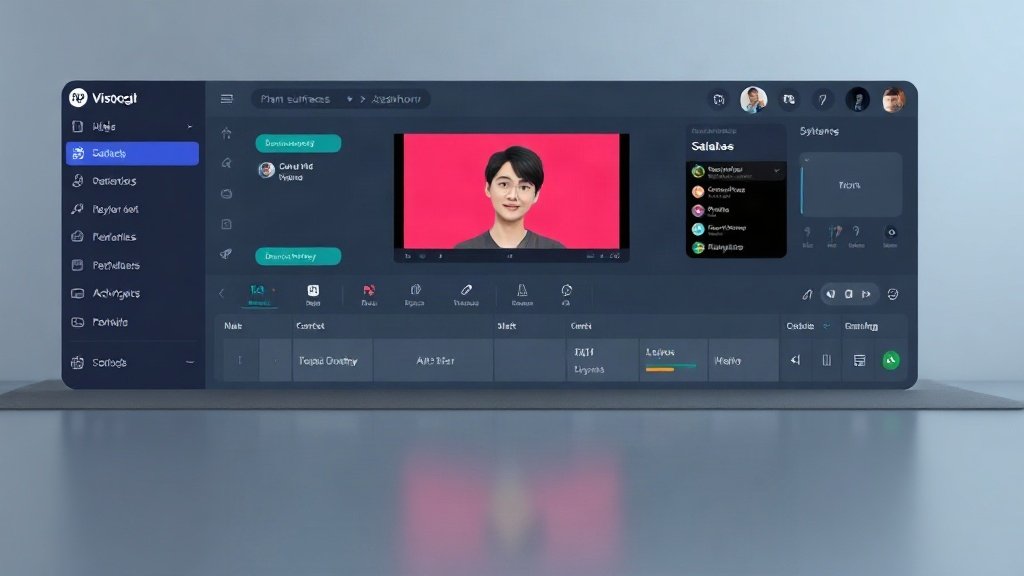
- Visuals & Editing: Use platforms like InVideo AI, Pictory, or Veed.io to convert the script into a full video—pulling in licensed stock clips, adding captions, and overlaying branded elements. For avatar presenters, Try Synthesia, HeyGen, or TalkPix.ai to place a digital host onscreen.
- Publishing Automation: Upload directly to YouTube or Shorts, schedule posts, and repurpose videos for LinkedIn or TikTok.
The result? Quick pipelines and minimal manual editing. You keep creative control and consistency, but avoid being on camera.
Real-World Example: Building a Faceless Finance Channel
Let’s say you want to build an authority channel about stock market trends. Here’s a sample approach:
- Script an explainer on “What Drives Tech Stock Booms.”
- Generate a professional voiceover using ElevenLabs in a calm, authoritative style.
- Choose an AI avatar from TalkPix.ai or Synthesia—or stay visual-only with dynamic stock footage of markets, graphs, and data visualizations.
- Pull all assets into InVideo AI or Veed.io, auto-generate captions, and add custom branded graphics.
- Schedule the video’s release and watch analytics to double down on top-performing angles.
This approach helped dozens of channels in 2025–26 rack up 10,000+ subscribers and CPMs over $25—all without a single selfie.

Branding Beyond Your Face: Visual & Vocal Consistency
Faceless channels win trust by looking and sounding consistently professional. Here’s how to get this right (and avoid blending into a sea of lookalikes):
- Pick an avatar/presenter and stick to it. Channels like TalkPix.ai and HeyGen demo how the same digital host builds familiarity over time—even when the host is AI-generated.
- Customize where possible. Use unique color palettes, overlays, or a signature intro animation (even if visuals are 90% stock). Custom avatars cost extra, but minor tweaks (like branded backgrounds) can set you apart.
- Consistent voice matters. Most viewers will never know your host is AI, but switching voices or styles too often kills the sense of authority. Many top channels clone a unique synthetic voice for this reason.
- Professional presentation beats flashiness. A simple, clean look and steady cadence usually outperform busy animations or inconsistent visual effects.
AI Video Tools: Key Players and Their Roles
- InVideo AI, Pictory, Veed.io: Full video assembly (script to visuals, captions, editing).
- TalkPix.ai, Synthesia, HeyGen: Avatar/AI presenter generation.
- ElevenLabs: AI narration/voice clone for compelling voiceover.
- Nexvy: Unified dashboard for script, avatar, and branding (good for channel scalability).
Platforms like Vidquence make the workflow even simpler: you enter a prompt, script, or URL—and get a finished video with AI voiceover, captions, and direct publishing options, all in one place. This lowers both the cost and the friction for launching and growing faceless authority channels.
Risks, Drawbacks, and Staying Ahead of YouTube Policy
No tool is magic. Successful faceless channels work because they:
- Offer unique value, not just AI-generated summaries.
- Fact-check their content rigorously.
- Continuously improve branding, pacing, and visuals.
Watch for these risks:
- Many AI channels look and sound alike—original research, distinct branding, or a unique editor can help you stand out.
- AI voices, while improving, sometimes lose nuance in longer videos. Mix in music, edit pacing, or break into shorter segments to hold engagement.
- Monetization rules shift: YouTube occasionally demonetizes repetitive or low-effort AI channels. Always add your own analysis and insights.
- Copyright for avatars/voices can be tricky. Use licensed assets, and don’t mimic real people without permission.

FAQ: Building Faceless Authority Channels With AI Video Tools
Q: Can you really build audience trust without ever showing your real face?
A: Yes. Consistent visuals, professional narration, and high-quality information serve as anchors. AI avatar channels like TalkPix.ai and Synthesia report strong returning viewership due to their reliable tone and recognizable presenter.
Q: What’s the minimum budget to launch a faceless authority channel?
A: For full AI video creation, plan on $20–$40/month—covering script tools and a subscription to something like InVideo AI or Vidquence. Expect to invest time in content fact-checking, research, and branding tweaks.
Q: Are there risks of demonetization or content takedown?
A: Yes. YouTube is evolving policies to target low-effort, spammy, or repetitive AI outputs. To reduce risk, always provide original insights, attribute sources, and make your videos visually and substantively different from the crowd.
Q: How can you make your channel stand out from hundreds of template-based AI channels?
A: Add custom intros, original research, audience questions in the script, or distinctive editing. Investing modestly in custom avatar tweaks or unique overlays also helps, even if your core workflow relies on AI tools.
Conclusion: Your Authority Channel—No Face Required
AI video tools make faceless expert channels more achievable than ever. The winners in 2026 stand out by combining automation with real substance: consistent branding, genuine research, and a steady voice. Platforms like Vidquence and its peers handle the heavy lifting—letting you focus on the message, not the mirror. Start with a niche you know, script well, and trust the tools to bring your authority channel to life—no camera needed.