

If you want to launch (or scale) an educational YouTube channel but dread being on camera—or simply want a faster, more anonymous production workflow—faceless educational videos powered by AI are the answer. In this guide, you’ll learn every step: from AI scriptwriting to slick video production and automated voiceovers, so you can create polished, engaging content that builds authority, educates, and drives subscribers—no face or recording booth required.
Why Create Faceless Educational Videos?
Faceless educational videos—think infographic explainers, text/voiceover guides, or whiteboard animations—deliver valuable knowledge while keeping the creator’s identity private. They’re exploding in popularity for a few clear reasons:
- Anonymity: Share info confidently, without stepping in front of the camera.
- Efficiency: Produce content faster by automating repetitive steps with AI.
- Scalability: Repurpose scripts or videos for multiple channels or audiences, easily.
- Professional look: Blend narration, stock footage, and on-screen text for polished visuals on a budget.
Faceless Education on YouTube: What Works?
Popular channels like FoolProof Reading, Animated Stats, or Economics Explained show just how much mileage you can get from well-scripted voiceover and dynamic visuals—no talking head needed. They use AI and stock media to streamline production, focus on engaging scripts, and develop a consistent visual theme (colors, fonts, icons, or animated characters) so viewers recognize their brand instantly.
Step 1: Choose Your Topic and Outline Your Video
All great faceless videos start with a focused topic and a clear, simple outline. Use keyword tools (like TubeBuddy or VidIQ) and YouTube’s autocomplete to identify questions your audience is actually searching for—example queries: “What is compound interest?” or “How does photosynthesis work?”.
Then, outline your main points. Most successful educational videos break down big ideas into:
- Intro/hook (what you’ll cover, why it matters)
- Main sections (use clear examples or visuals for each)
- Summary or call to action (recap the core lesson, invite to subscribe)
Step 2: Write a Script with AI Assistance
Scriptwriting AI tools—like ChatGPT, Jasper, or even Google Gemini—speed things up by generating detailed outlines or even full scripts from your topic prompt.
- Example prompt:
“Write a 2-minute explainer script for YouTube about Why Seedless Watermelons Exist, aimed at middle school students.” - Review and customize the draft: edit for factual accuracy, personality, and length (aim for 130–150 words per minute of video).
- Mark spots for visual cues (e.g., ‘show DNA animation here’).
By outlining visuals as you script, you’ll save time later when matching scenes to narration.
Step 3: Generate or Record Voiceover (No Mic Needed)
One of the biggest advantages of AI is skipping the recording booth. Modern AI voice generators like Murf.ai, ElevenLabs, or WellSaid Labs let you paste in your script, choose a realistic voice, adjust emotion/tone, and download broadcast-quality narration in minutes.
- Paste your text in the tool.
- Select a voice and accent (consider your audience: US, UK, younger/older).
- Adjust speed, pitch, and emphasis for clarity.
For educational content, a clear, neutral tone is best. Pro tip: break up longer scripts into short paragraphs for smooth pacing and easy syncing in the edit.
Step 4: Gather and Organize Visuals
Engaging faceless videos rely on high-quality visuals to match the narration. You have several options:
- Stock footage: Use copyright-free video libraries (like Pexels, Pixabay, or Storyblocks) for scenes: classrooms, labs, cityscapes, animations, or abstract backgrounds.
- Simple animations: Tools like Canva or Powtoon give you ready-made explainer animations.
- Consistent branding: Choose a color palette, font, or simple icon for regular use. Repeated elements help with channel recognition and visual unity.
Organize footage according to your script outline, labeling each file with the corresponding narration segment. This makes the next step much smoother.

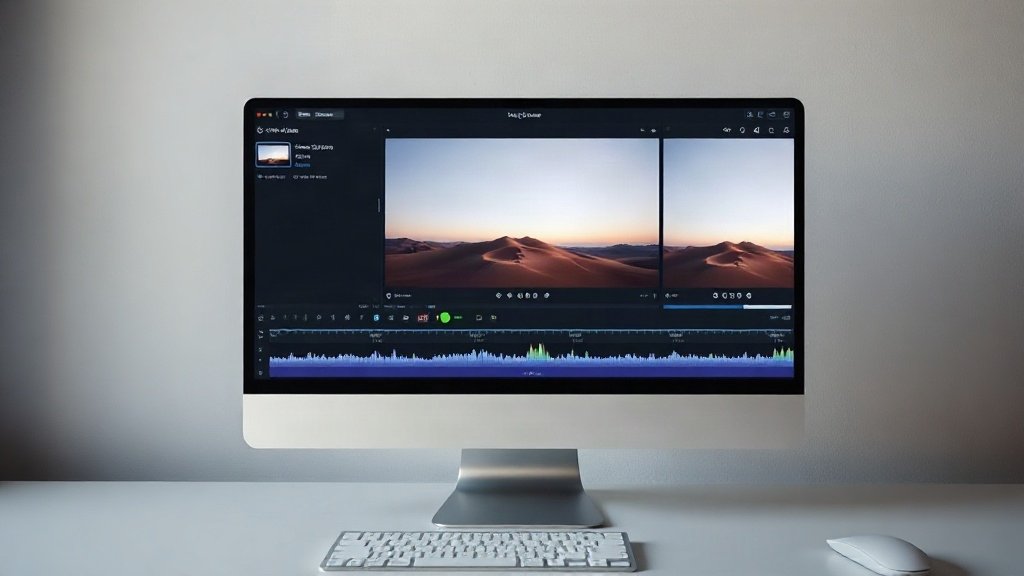
Step 5: Assemble and Edit Your Video With AI Tools
This is where your project comes together. AI-powered text-to-video platforms like Pictory, Synthesia, or Vidquence can dramatically speed up this workflow. Here’s how a typical process looks:
- Upload your script and voiceover (or let the platform generate the voiceover using AI).
- Automatic scene generation: The tool matches your narration with appropriate stock clips or animations, divided into scenes/cards.
- Edit scenes: Trim or swap visuals, fine-tune timing, add on-screen text/captions, and incorporate intro/outro branding.
- Preview and export: Review the video for pacing, clarity, and style before exporting to your preferred format.
Vidquence (disclaimer: our platform) specializes in streamlined faceless YouTube video production—turn any script, URL, or prompt into polished videos with realistic voiceover, dynamic captions, and auto-publishing. You get consistent quality and style, fast.
Prefer hands-on editing? Free and paid editors like CapCut, DaVinci Resolve, or Adobe Premiere Rush allow custom transitions, overlays, and effects. Import your visuals and narrated audio, sync each section, and add finishing touches for a personal touch.
Step 6: Upload, Optimize, and Publish Your Video
Once your faceless educational video is ready, it’s time to maximize its YouTube reach:
- Title & description: Include your primary keywords, clearly explain the value, and mention key takeaways.
- Thumbnail: Even for faceless videos, make sure your thumbnail is visual and bold, with easily recognizable icons or images related to your topic (avoid using faces—stay consistent with your faceless brand).
- Tags & chapters: Add relevant, specific tags and timestamps/chapters for easier navigation.
- Playlists: Group similar topics together for binge-worthy viewing sessions.
If you’re using a tool like Vidquence, you can set up auto-publishing directly from the platform to streamline this step further.
Workflow Recap: From Idea to Upload
- Pick your educational topic & outline key sections.
- Draft a concise, engaging script (with AI help).
- Generate a natural-sounding AI voiceover.
- Organize stock footage, imagery, and branding.
- Combine everything with a text-to-video or video editing tool.
- Upload, optimize, and publish for maximum reach.
FAQ: Faceless Educational Videos & AI
Are faceless videos less engaging than on-camera ones?
Not necessarily. Many top educational channels are faceless—your focus should be on script quality, visual flow, and clear audio. Faceless videos are also more bingeable for certain niches, like animated explainers or listicles.
Which AI voice is best for educational videos?
Look for a voice generator that offers a neutral, articulate, and friendly voice. Test a few options with your script for clarity and engagement. Most AI voice providers let you preview voices before download.
Will YouTube punish AI-generated content?
No—YouTube’s policies target spam, plagiarism, and misleading content, not the use of AI for scripting or narration. Focus on delivering original, helpful, and clearly presented information.
How often should I publish faceless educational videos?
Start with 1–2 videos per week to build a backlog and analyze what your audience loves most. AI tools help you maintain volume without burning out.
Get Started—No Camera Needed
Faceless educational videos open doors for creators, educators, and brands who want privacy, faster output, or simply a more streamlined workflow. With AI-powered scriptwriting, voiceover, and video assembly, there’s no need for a recording studio or on-screen presence. Ready to launch your next YouTube channel? Build your roadmap, test the tools, and make education accessible—one faceless video at a time.