
If you coach clients, you know: educational content is your lead magnet, retention tool, and most scalable asset. But making enough quality videos—lesson recaps, tips, course modules, testimonials, promos—can feel impossible without a big production team. That’s where AI-driven tools like Vidquence transform what’s achievable for solo coaches, consultants, and growing coaching businesses alike. This guide breaks down exactly how to generate educational videos for coaching businesses using Vidquence for speed and scale, along with practical workflows, real examples, and ways to multiply your video output (so you can grow your client base without sacrificing quality—or your sanity).
Why Educational Videos Work for Coaching Businesses
Educational videos do more than teach—they build trust and open the door to deeper coach-client relationships. Research from Wyzowl’s 2024 Video Marketing Survey found that 89% of consumers say video convinced them to buy a product or service, while 78% say video helped them understand a business. For coaching, that translates directly into:
- Higher engagement from prospective clients (training snippets, explainers, Q&As)
- Post-session lesson recaps that drive ongoing value for paying clients
- Testimonial and transformation stories to build credibility
- Effortless promotion on platforms like YouTube, Instagram, and LinkedIn
But that impact only grows with consistency. The challenge? Creating this volume and variety of video content fast enough, without draining your weeks on editing.
The Content Bottleneck: Why Most Coaches Struggle With Video
Recording and editing videos is usually the biggest hurdle to consistent coaching business content. Even with basic tools, a single five-minute video can eat up 2–3 hours between scripting, filming, editing, adding captions, and exporting. Hiring help can cost $300+/video (and still involve lots of back-and-forth).
That’s why AI video platforms like Vidquence are making such noise in the coaching world: they eliminate almost all manual assembly. For example, with Vidquence, turning a coaching prompt or social post into a finished narrated video takes minutes, not hours. That lets you:
- Produce lesson recaps immediately after a session (for client retention)
- Batch-create explainer videos or common FAQ answers
- Transform client success quotes into eye-catching testimonials
- Launch regular short video tips for your email list or socials

Vidquence: Instant Educational Video Generation From Your Coaching Materials
Vidquence is designed for coaching businesses and other knowledge brands that want to skip the tech headaches of editing and focus on their expertise instead. It covers the entire pipeline:
- Turn simple text prompts (“How to shift your mindset in 5 steps”) into narrated, styled videos in minutes
- Transform your Instagram or Facebook post into a branded vertical reel
- Convert a testimonial quote or before/after story into a kinetic-text video
- Generate promos and course launch teasers using copy from your website or landing page
Key Vidquence tools for coaches:
- Prompt to Video: Start with a lesson idea, script, or Q&A. Vidquence assembles visuals, narration, and pacing automatically.
- Social Post to Video: Copy-paste any recent social post—get a short-form video reel optimized for Instagram or TikTok.
- Typography Video: Let client quotes or frameworks pop onscreen with bold animated text.
- Talking Head Enhancer: Upload your Zoom or webcam footage; Vidquence adds captions, cuts, and B-roll inserts for you.
- Auto Captions: Instantly add animated subtitles to any educational video—no need for separate software.
Each tool drives repeatable content production: turn your raw teaching assets (prompts, transcripts, posts, photos, URLs) into batches of video content so you can show up everywhere—without re-recording every time.
5 Ready-to-Use Video Types for Coaches (and When to Use Them)
Here are concrete ways coaching businesses use Vidquence to scale their educational video content:
- Lesson Recaps: After client calls or live workshops, drop your session bullet points into Vidquence. Output: a concise, shareable video summary with key takeaways and practical steps. Ideal for weekly follow-ups or supplementing group coaching.
- Mini Educational Series: Outline your core coaching framework (e.g., “Goal Setting in 3 Parts”) as a prompt. Vidquence generates a video per topic, ready to publish as a series on YouTube or your online course portal.
- FAQ or Mythbusting Shorts: Convert your most-asked client questions into quick-answer videos—use Social Post to Video to batch process these into reels for Instagram and LinkedIn.
- Client Testimonials: Drop real quotes or email praise into a Typography Video workflow. Get a kinetic, attention-grabbing testimonial video for your sales page.
- Course/Program Promos: Paste your program’s website URL into Vidquence’s SaaS/Promo Video tool for a styled, narrated promo video (then customize with your CTA and brand colors).
Step-by-Step: Turning Coaching Ideas Into Videos With Vidquence
The magic of Vidquence is simplifying video creation to just a few steps. Let’s walk through a typical educational video workflow for a coaching business:
- Choose your format (Prompt to Video, Social Post to Video, Typography, etc.)
- Paste your content (bullet points, script, testimonial, or social post)
- Select your video style and voiceover preferences (AI voice or your own uploads, if available)
- Customize key branding elements (colors, logos, end screens)
- Auto-generate captions if needed
- Preview, tweak, and export or schedule for auto-publishing
Most finished educational videos are ready in under 10 minutes—often much less for simple recap or testimonial clips. You can batch a week’s (or month’s) content in less time than a single DIY edit session.
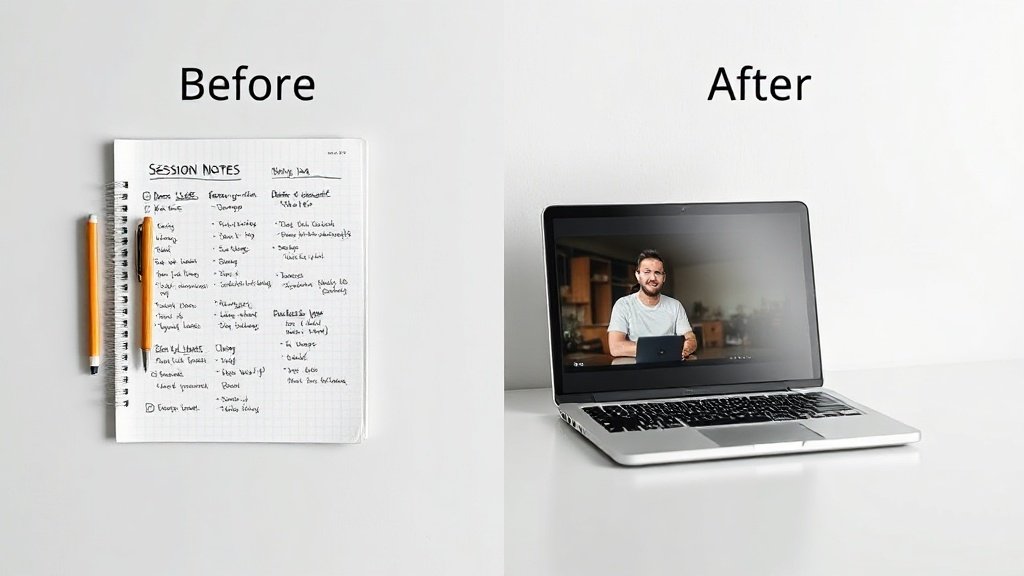
Example: Creating a Weekly Lesson Recap Video
- Input: Session notes: “This week’s session: Identifying negative beliefs, practical challenge for the week, next steps.”
- Workflow: Use Prompt to Video. Paste your notes, select narration tone, choose default coaching theme.
- Result: A narrated video with animated highlights, pacing for key points, and client-facing call-to-action—sent to your client or group within minutes of your call.
Batching and Scaling: How to Build a Sustainable Video Creation Habit
Consistency beats intensity in content marketing—but only if your system is sustainable. Here’s how scaling your video output with Vidquence supports business growth:
- Batching: Block 1–2 hours weekly and knock out multiple videos in one sitting. Transform all your social posts, testimonials, and FAQ topics in a repeatable workflow.
- Systemization: Build a template library. Use similar branding and structure so your content is recognizable and fast to produce.
- Distribution: Export for YouTube, embed in emails, post on LinkedIn, or schedule to social media. Vidquence’s auto-publishing saves even more time if your plan allows.
Pricing tip: As of August 2026, Vidquence plans start at $29/month for beginners, with Pro and Max tiers scaling up as you increase video output for group programs or growth campaigns.
When to Upgrade Your Workflow
If your growth is limited by production bottlenecks, it’s time to automate. Coaches consistently using video see:
- 25–35% more lead engagement on social media posts (source: Vidyard, 2023)
- Higher course/ticket sales (video on landing pages increases conversion rates by up to 86%, per EyeView)
By systematizing video with Vidquence, content goes from “nice to have” to real lead (and revenue) driver on autopilot.
FAQ: Educational Videos for Coaching Businesses
- Do I have to appear on camera for every video?
Not at all. Vidquence supports faceless video creation—just use your notes, prompts, or social posts and let the AI assemble everything, with or without your own voice. - How quickly can I make a finished video with Vidquence?
Most simple educational or testimonial videos are completed in 3–10 minutes, depending on customization. Batch production further shortens per-video time. - What if I want my own branding?
Vidquence lets you select brand colors, logos, and custom call-to-action slides so your educational videos always look on-brand. - Can I turn my website content into a video?
Yes—just use the SaaS/Promo Video tool, paste your site URL, and Vidquence auto-generates a branded promo video from your existing copy.
Conclusion: Focus Your Energy on Coaching, Not Editing
High-frequency, value-driven educational video is one of the fastest levers for coaching business growth—if you can do it at scale. Vidquence empowers you to turn your expertise (not your video-editing skills) into polished video assets in a fraction of the time. Batch lesson recaps, highlight testimonials, demo course value, and automate your video content pipeline—so you spend less time tinkering, and more time coaching clients and building your impact.