
If you’re running a small business, you need to produce videos—fast, cheap, and at scale. In 2026, AI video creation tools let you press a few buttons and walk away with a polished explainer, an ad, or a social buzz video. But where do you start? Here’s a hands-on guide to the essential AI video toolkit for small businesses: what each kind of tool is actually good for, how real teams use them, and how you can get professional results without a studio budget.
The New Toolkit: What “AI Video Creation for Small Businesses” Means Now
Gone are the days when producing a decent video meant hiring a videographer, actors, and an editor—or DIY’ing it with phone footage and a lot of stress. As of July 2026, the AI video toolkit for small businesses is a mix of specialized platforms, often working together, that can:
- Turn scripts, prompts, or web pages into videos—no filming required
- Use lifelike avatars to deliver polished talking-heads in any language
- Repurpose existing blogs, webinars, or presentations into short, captioned clips
- Resize and format videos for all major platforms automatically
- Add voiceovers and accurate captions in minutes
The payoff: Your business can ship more videos to more channels, reach new audiences, and keep costs close to zero.
Your Essential AI Video Toolkit: The Key Capabilities
Think of the best results not as picking one app, but as assembling a toolkit. Here’s what you need and concrete tools—plus how top small businesses use them right now:
1. Avatar Video Generation: Give Your Brand a Face, Fast
Need: Polished presenter videos when you don’t want to be on camera. Great for training, product explainers, or multilingual messages.
- Synthesia: The gold standard for lifelike avatar videos. Type your script, pick an AI presenter (studio presenters, multiple ethnicities and languages), and download. Over 120 languages supported—which means you can make a single message in Spanish, Mandarin, and English with zero extra shooting. Used for onboarding, corporate comms, and small business customer support videos.
- Google Vids (2026): Now offers custom avatars inside a Google Workspace workflow. Best for teams already using Google for docs, slides, and email.
Typical Result: A training video (2–3 minutes, HD) in three languages, produced for a fraction of a single day’s wage.
2. Text-to-Video & Repurposing: Get More From What You’ve Already Made
Need: Turn blogs, emails, or webinars into short-form videos—without filming or editing from scratch.
- Pictory: Drop in a blog post or long webinar. The platform automatically clips the key points, matches stock visuals, suggests layouts, and adds captions. Small teams use this to churn out LinkedIn teasers, Instagram Reels, or training recaps from content they’ve already written.
- FluxNote: For regular social content, this tool takes a text prompt and generates a fast, brand-ready video. Used for weekly tips, product updates, or even holiday messages.
- Microsoft 365 Copilot + OpenAI Sora 2: If you’re using Office, Copilot lets you generate cinematic videos from outlines, integrated seamlessly with other docs and presentations. Useful for teams who live in the Microsoft ecosystem.
Practical example: A small agency turns a single hour-long webinar into a month’s worth of 60-second educational videos for email and Instagram—each auto-captioned and formatted in minutes.
3. Templates, Resizing, and Social-First Video Editing
Need: Make your video look professionally branded, sized for every channel, and ready to post in a single workflow.
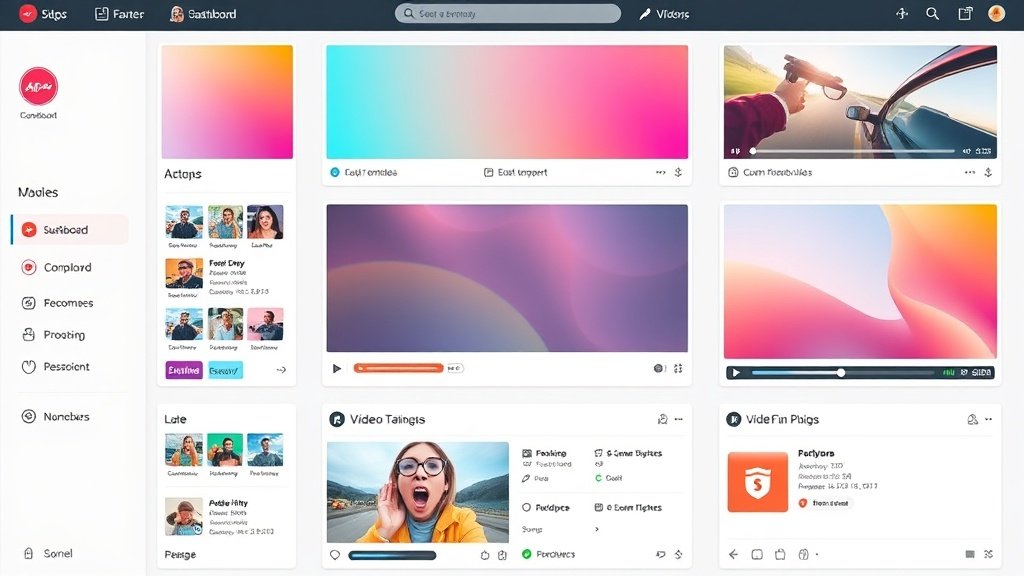
- InVideo: 6,000+ templates for every use case—YouTube, Instagram, TikTok, ads—with drag-and-drop editing. Their AI rewrites your script, chooses transitions, and resizes your finished video for each platform. Small sellers use this to run multi-channel ad campaigns from one asset.
- Van Gogh Studio: A no-frills, free video generator with template presets by industry (real estate, restaurants, coaching, etc.) and HD output without watermarks. Perfect for simple, fast local business promos on a budget.
Hint: Always customize your templates with your own colors and logo for a professional touch.
4. Voiceover and Caption Automation
Need: Make sure your message is clear, accessible, and engaging—especially for viewers watching without sound (over 80% of social video views!).
- Pictory, InVideo, and other platforms automate captions and include AI-generated voiceover as a standard feature. This is also core to tools like Vidquence, which streamlines adding voiceover and captions to any AI-created video and prepares content for multiple platforms at once.
Time savings: A single 60-second video with captions, in three aspect ratios (YouTube, IG Reels, and LinkedIn), can be ready in under 10 minutes—no manual typing or editing needed.
How to Build an Efficient Stack (and Save Hours Every Week)
Here’s how to put these AI video creation tools together for real-world small business use cases:
- Start with content you already have (blog, email, product descriptions), or write a short script.
- Run it through a text-to-video tool (such as Pictory or Vidquence) to generate a base video.
- Polish with an avatar presenter or branded template—use Synthesia for talking-heads, InVideo for drag-and-drop templates, or Van Gogh Studio for a simple preset.
- Add voiceover and auto-captions (natively in your chosen video platform).
- Export in multiple formats for each channel and automate scheduled posting where possible.
This approach slashes both video production time (from hours to minutes) and cost (average AI video tool costs: $0–$30/month with free trials or freemium limits—compare that to traditional production at $1k–$5k per video).
Real Results: 2026 Market Trends and Data
The shift isn’t hype: TechRadar reported a 66% year-over-year jump in demand for AI-powered video services and a 136% surge in automation tools in late 2025. Businesses using these new workflows are creating more video, getting faster feedback on messaging, and scaling content that matches or exceeds pro-shot ad results—without traditional studio overhead.
Nearly every major platform—Google, Microsoft, Facebook, LinkedIn—expects AI video to be central to small-business marketing, training, and communication in 2026 and beyond.
FAQ: AI Video Creation for Small Businesses
- Do I need video production experience to use AI video tools?
No. Most platforms are designed for total beginners—just bring your script or idea, and the tools handle the visuals, voiceover, and captions. - Can I use these tools for free?
Yes, several tools (like Van Gogh Studio and FluxNote) start free, though advanced features or export quality may require payment. - What types of videos work best for small businesses?
Top use cases: short ads, explainer videos, training, product demos, quick educational content, and organic social video posts. - How does Vidquence fit into this toolkit?
Vidquence helps you create finished videos from prompts, scripts, or URLs, with automatic voiceover, captions, and multi-platform formats—making it a strong choice for all-in-one faceless YouTube, shorts, and branded social videos.
Conclusion: Your Roadmap to Effortless Video Marketing
AI video creation for small businesses isn’t just possible in 2026—it’s the new minimum standard. By building a lightweight toolkit around AI avatars, templates, text-to-video, and auto-captioning, you can launch campaigns, drive engagement, and boost sales with speed and polish. Shop for features that match your business goals, experiment with free plans, and see how much video you can create without ever picking up a camera.